The hardest part of attendance has never been the data. Every modern tool can tell you whether someone clocked in. The hard part is reading thirty employees across thirty days without losing your mind in a stack of CSV exports.
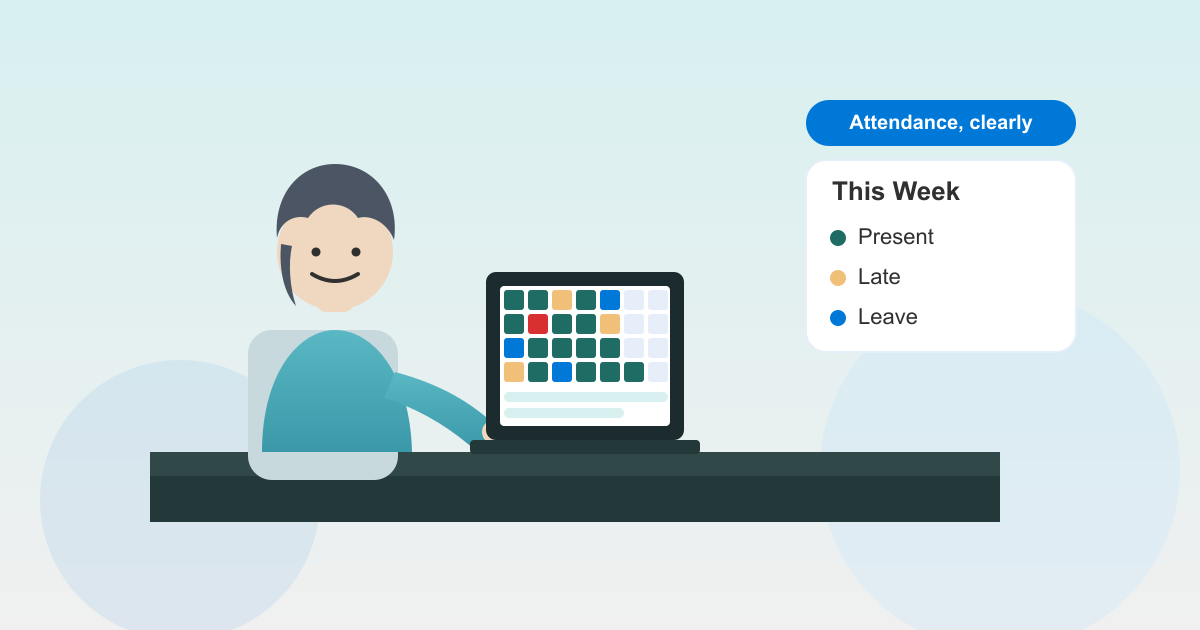
That’s the gap the new attendance calendar view fills. One screen, one month, every employee — colour-coded so absent days, late arrivals, and approved leave are obvious at a glance.
The problem this solves
If you run a small or medium team, you already know the question: “Was Sam in last Tuesday?” The answers, today, usually come from one of three places:
- A daily attendance report you filter by name, then re-filter by date — twelve clicks for one answer.
- A timesheet CSV export that nobody trusts because the column order keeps changing.
- A Slack message to Sam’s manager, which takes thirty minutes to come back.
None of those scale past about ten people. They certainly don’t scale to the question HR actually wants to answer at the end of the month: “Show me everyone whose attendance pattern looks unusual.”
A calendar view answers that question in the way human eyes are built to read it — pattern recognition across a grid. Outliers leap out. Streaks of red are immediate. A single late day next to twenty greens is forgivable; a row that’s mostly amber starts a conversation.
How it works
The view is a month grid. Rows are employees. Columns are days. Each cell shows a colour-coded status:
- Green — present, on time
- Amber — late or short-shift
- Red — absent without resolution
- Blue — approved leave (annual, sick, parental, etc.)
- Grey — weekend or public holiday for that employee’s region
- Hatched — pending check-in resolution (forgot to clock out, awaiting manager review)
The employee column on the left stays sticky as you scroll horizontally, so you never lose the name beside the row. Hover any cell to see the underlying record — clock-in time, clock-out time, late minutes, leave type — without leaving the screen. Click through to the full attendance record when you need to fix something.
Two filters sit above the grid:
- Location — useful if you have a London office, a Sydney office, and a remote-first cohort, and you want to look at one of them in isolation.
- Department — Engineering, Sales, Operations, whatever you’ve configured. Combine with location to narrow down a single team.
The grid respects your account’s working week, public-holiday calendar, and per-employee shift patterns. A four-day-week employee shows greys on their non-working day, not reds.
Who benefits
HR managers stop building monthly attendance reports by hand. The grid is the report. Export the visible view as CSV when you need to share it; otherwise, just look.
Team leads spot patterns earlier. A pre-resignation drift, a quiet burnout, a shift that’s drifting late by ten minutes every Friday — all of these show up in a colour grid before they show up in a 1:1.
Operations leads running multi-location businesses finally have one view that works across sites. Filter to Sydney, see what’s happening; flip to London, see the same. No second tool, no second login.
Employees benefit indirectly: when their manager can see context easily, the conversation about that one missed Wednesday goes from “explain yourself” to “you’ve been solid for a year, what happened?”
What we deliberately didn’t build
We didn’t build a daily-detail timeline view inside the grid. The grid is for pattern reading, not investigation. When you need detail, click through to the day record — that view already exists and it’s better than cramming timestamps into a 32-pixel cell.
We didn’t add a year view. Twelve months of data on one screen looks impressive in a demo and is unreadable in real use. The month is the unit HR teams actually plan in.
We didn’t gate it behind a higher tier. Attendance is included on every Leave Balance plan, and the calendar view is part of attendance. There’s no “attendance plus” upsell.
How it compares to BambooHR and HiBob
BambooHR’s time tracking includes a calendar-style view, but it’s gated behind the Time Tracking add-on (an extra $6/employee/month on top of the $250+/month base). For a 30-person team, that’s roughly $430/month for what Leave Balance bundles at $10/month flat. HiBob’s attendance reporting leans on dashboards and exports rather than a single grid view; you can build something close in their reporting layer, but it takes configuration and the learning curve isn’t trivial. If you’ve already chosen one of those platforms for the rest of your HR stack, that’s fine — but if attendance visibility is the actual job to be done, paying HRIS prices to get it is hard to justify.
Try it
The calendar view is live for every Leave Balance account on the attendance dashboard. If you’re not on Leave Balance yet, the 14-day trial includes attendance, the calendar, the filters, and everything else — no credit card, no sales call.
leave emails? Track your employee's leave with Leave Balance
